
Smart Plugs vs Smart Switches: Which One Should You Install?
667 views
Your “smart home” can get surprisingly dumb at the wall.
You buy a smart bulb, pair it with Alexa or Google Home, then somebody flips the physical switch. Offline. Again. Or you install a cheap smart plug behind the TV and discover the plug is bulky enough to block the second outlet.
That’s the real decision here.
Smart plugs and smart switches both automate electrical devices, but they solve different problems. A plug is usually the fastest retrofit. A switch is the cleaner, more permanent option. The catch is that compatibility, wiring, load type, protocol, and even the shape of your electrical box can change the answer.
For GadgetRadar readers, this isn’t a “which is better?” debate. It’s a which device makes sense in this exact spot? problem.
The 30-second answer
Install a smart plug if you want to automate a movable plug-in device without touching your home’s wiring.
Install a smart switch if you want permanent control of hardwired lights or fans and want the wall switch to remain useful to everyone in the house.
Simple. Mostly.
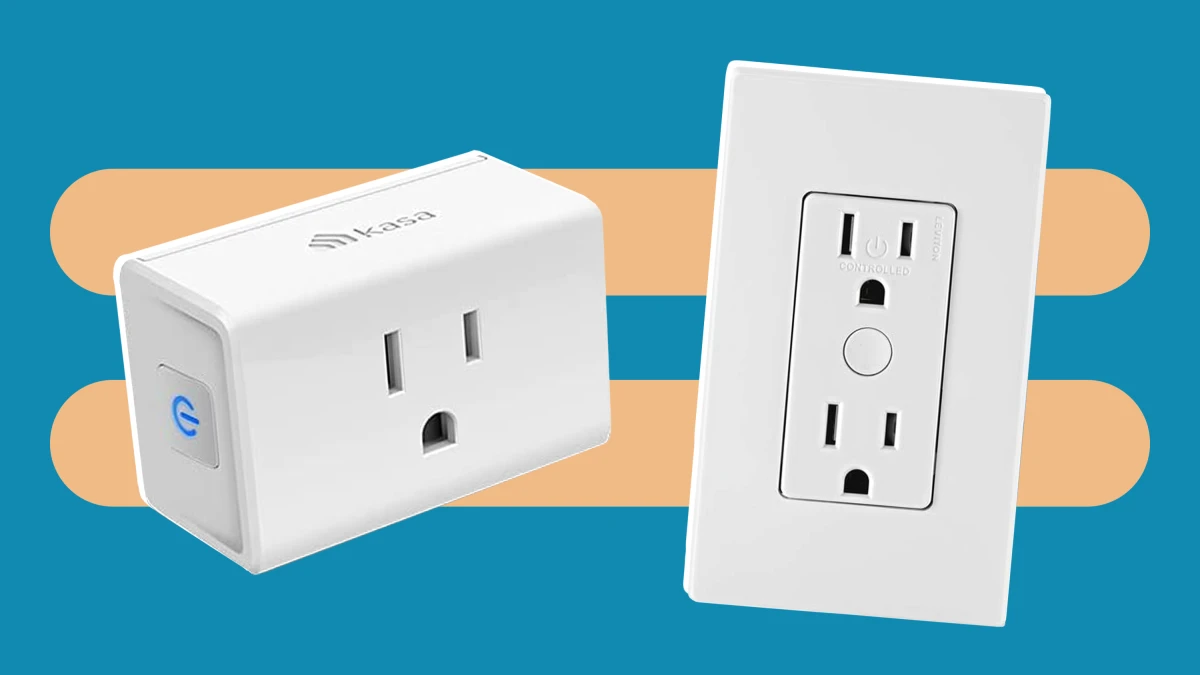
A smart plug sits between the outlet and the appliance. It typically controls power to that device through Wi-Fi, Zigbee, Thread, Matter, or another supported ecosystem.
A smart switch replaces a conventional wall switch and controls the electrical circuit itself. That makes it a better fit for ceiling lights, built-in lighting, bathroom exhaust fans, and other loads that were never meant to be unplugged.
Smart plugs: fast, flexible, and occasionally annoying
The strongest argument for a smart plug is installation speed.
Take a compact model such as the TP-Link Kasa EP25P4 or a Matter-compatible plug from a major ecosystem vendor. In many cases, setup is:
Plug it into the wall.
Add it through the manufacturer’s app or your Matter controller.
Connect the appliance and create an automation.
No electrical box. No neutral-wire mystery. No circuit breaker trip because you mixed up the line and load conductors.
That low friction matters.
Where smart plugs work brilliantly
Smart plugs are particularly good for devices that already have a simple mechanical on/off state and should resume operation after power is restored.
Examples include:
Table and floor lamps
Coffee makers with a physical power switch
Fans that restart automatically after power restoration
Holiday lights
Aquarium equipment, where appropriate and carefully rated
Monitors and certain home-office accessories
Simple humidifiers or dehumidifiers that explicitly support power-loss recovery
A bedside lamp is the classic case. You don't need to replace the switch inside the wall. You just need scheduled or voice-controlled power.
Smart plugs also travel with you. Move apartments? Unplug them.
The hidden problem: not every appliance behaves after a power cut
This catches people out constantly.
A smart plug can restore electrical power, but it can't necessarily “press” the appliance's electronic power button. Many modern coffee machines, air purifiers, TVs, and air conditioners remain in standby or require manual interaction after power is restored.
So before buying anything, do a crude but useful test: unplug the appliance while it’s running, wait a few seconds, then reconnect it.
Does it automatically resume?
If not, a smart plug probably won't give you the automation you expected.
Power rating matters too. A typical North American smart plug may be rated around 15 A, but that doesn't mean every 15-amp appliance is an ideal continuous load. Motors, heaters, compressors, and devices with high inrush current deserve extra caution and should only be used within the manufacturer's stated load limits.
Smart switches: cleaner, more permanent, and more complicated
A smart switch replaces the control point rather than adding intelligence to the appliance's plug.
That distinction is huge.
If your living room has six recessed ceiling lights controlled by one wall switch, a smart plug can't help. A smart switch can control the entire circuit while preserving normal wall control, schedules, voice commands, and automations.
A current example is TP-Link's Kasa KS205 Matter smart switch. It connects over 2.4 GHz Wi-Fi, uses Bluetooth 4.2 during setup, supports Matter, and works with Apple Home, Alexa, Google Assistant, and SmartThings. Its published ratings include 15 A general use, 600 W incandescent/LED/CFL, 120 W for a ceiling fan, and a 1/6 HP motor—but the exact model and load ratings always matter.
The installation catch: wiring
Here's where the easy answer disappears.
Many smart switches require a neutral wire in the wall box because the electronics need a small amount of continuous power even when the light is switched off. The KS205, for example, specifies a neutral wire and a standard wall box at least 2 inches deep.
Older homes can complicate this.
You may remove the faceplate expecting to see line, load, neutral, and ground, only to find a crowded box with no accessible neutral conductor. Or you might have a multi-way circuit where two switches control the same light. At that point, buying the first smart switch you see is how a 10-minute upgrade turns into an evening of wiring diagrams.
Turn off the circuit at the breaker before inspecting or replacing electrical wiring. If you're not confident identifying the conductors or dealing with local electrical-code requirements, use a qualified electrician.
The hardware itself can also be physically awkward. Smart switches are deeper than a basic mechanical switch, and older shallow electrical boxes don't always leave much room for wire connectors.
Smart plug vs. smart switch: side-by-side
Feature | Smart Plug | Smart Switch |
|---|---|---|
Installation | Usually plug-and-play | Requires electrical installation |
Best for | Lamps and plug-in devices | Ceiling lights and wired loads |
Portability | Excellent | Fixed in place |
Neutral wire | Not applicable | Often required |
Physical wall control | Existing switch may still cut power | Designed around normal wall use |
Energy monitoring | Common on some models | Model-dependent |
Multi-bulb fixtures | One plug generally controls one connected device | Can control an entire switched circuit |
Rental friendliness | Usually excellent | Depends on lease and wiring rules |
Typical cost | Often lower per device | Higher once installation is included |
The plug wins on convenience. The switch wins on integration.
Matter, Wi-Fi, Zigbee, and Thread: don't ignore the protocol
Buying hardware in 2026 means looking beyond “Works with Alexa.”
Matter is the interoperability standard, not a single radio technology. A Matter accessory can communicate over technologies including Wi-Fi or Thread, depending on the device design. Apple's Matter documentation describes the standard as a way to commission and control compatible accessories across manufacturers, while Thread continues to develop as a mesh networking layer for connected devices.
That gives you a useful buying rule:
Choose the ecosystem first. Then choose the device.
If your home already runs Apple Home, Google Home, Alexa, or SmartThings, a Matter-certified plug or switch can reduce the odds of ending up with yet another isolated manufacturer app. Matter also supports multi-admin arrangements, allowing compatible devices to be shared across more than one supported platform.
There is still friction, though.
A Matter label doesn't magically guarantee that every advanced feature appears identically in every app. Energy monitoring, scenes, firmware updates, and vendor-specific options can vary by product and ecosystem. Pairing can also depend on having compatible home hubs or Thread border routers for the setup you're attempting. That detail gets skipped in a lot of buying guides.
Don't skip it.
Real-world scenarios that make the choice obvious
Scenario 1: The floor lamp beside your sofa
Buy a smart plug.
You want the lamp on at sunset and off at midnight. The lamp has a simple physical switch that you can leave permanently in the “on” position. No reason to open a wall box.
A Kasa EP25-style plug, for example, is rated for 15 A/1,800 W at 120 V and supports energy monitoring, while its compact housing measures roughly 66.5 × 38 × 40 mm. TP-Link also warns that devices with erratic currents can still cause problems even when their nominal rating falls below the plug's maximum.
Scenario 2: Four ceiling lights controlled from one switch
Install a smart switch.
A plug can't control a hardwired circuit. You could replace the bulbs with smart bulbs, but then the physical wall switch becomes a potential failure point. Someone flips it off, and your voice commands stop working.
The switch approach keeps the ordinary control method intact.
Much less family-proofing required.
Scenario 3: You rent an apartment
Start with smart plugs.
They're easy to remove, reuse, and take to your next place. You can automate lamps, desk equipment, and compatible appliances without modifying permanent wiring.
For renters, that reversibility is underrated.
Scenario 4: You want power-consumption data
Check the specifications, not the product category.
Some smart plugs offer built-in energy monitoring, while many basic smart switches don't provide meaningful circuit-level energy data. The Matter-certified Kasa KP125 series, for example, combines 2.4 GHz Wi-Fi connectivity with energy monitoring and a 15 A/1,800 W rating in its published specifications.
If your goal is finding out how much a dehumidifier actually costs to run, the plug may be the more informative purchase.
Scenario 5: A fan or appliance with electronic controls
Slow down.
A smart plug can only remove and restore power. If the device doesn't automatically restart after an outage, your automation may stop at “power restored.”
For a permanently installed ceiling fan, a properly rated smart fan switch is usually the more sensible route. Don't assume a lighting switch can safely control every fan motor or dimmer circuit; load ratings differ significantly by model.
Cost: the device price isn't the whole story
At the lower end of the market, multi-packs of Wi-Fi smart plugs can make automating several lamps relatively inexpensive. Smart switches often cost more per location, and professional installation can quickly become the largest part of the project.
That changes the math.
One $20-ish plug that takes two minutes to install may be a better value than a $30–$50 switch that requires electrical work. On the other hand, installing smart switches in a room with several fixtures can eliminate the need to buy multiple smart bulbs.
Think in terms of control points, not individual gadgets.
One switch controlling eight recessed lights may automate an entire room. One plug controls whatever is plugged into it.
Three mistakes I see repeatedly
Buying for the app instead of the ecosystem.
A house filled with separate Kasa, Tuya, Smart Life, manufacturer, and voice-assistant apps gets old fast. Matter support can simplify the ecosystem, although feature parity should still be checked.
Ignoring the 2.4 GHz requirement.
Many Wi-Fi plugs and switches still use IEEE 802.11b/g/n on 2.4 GHz rather than 5 GHz or 6 GHz. The KS205 and KP125 specifications are good examples. If your router setup hides or restricts 2.4 GHz during onboarding, pairing can become unexpectedly tedious.
Assuming “15 A” means every device is automatically suitable.
Read the product's ratings for motors, lighting, resistive loads, and other specific use cases. The fine print exists for a reason.
A practical buying checklist
Before ordering, answer these questions:
Is the device plugged in or hardwired?
Plugged in usually points toward a smart plug. Hardwired points toward a switch.Does it automatically restart after power loss?
Test it physically.What is the actual load?
Check watts, amps, motor ratings, and the smart device's supported limits.Is there a neutral wire in the box?
Don't assume. Verify.Which smart-home platform do you actually use?
Apple Home, Google Home, Alexa, SmartThings, or a dedicated hub ecosystem all influence the best choice.Do you need energy monitoring?
A metering smart plug can answer questions that a basic switch can't.
FAQs
Are smart plugs or smart switches more reliable?
Neither category automatically wins. Reliability depends heavily on the hardware, local network, firmware, and installation. A hardwired switch does have one practical advantage: nobody can accidentally unplug it.
Can I use a smart plug with a power strip?
Only if the plug, strip, and connected equipment are used within their respective ratings and according to the manufacturers' instructions. Don't create a daisy-chained tangle of overloaded adapters.
Do smart switches work if Wi-Fi goes down?
The physical switch should still provide local manual control in a properly installed setup. Remote control and some automations may depend on the device, protocol, hub, and local network configuration.
Can a smart switch control smart bulbs?
It can, but cutting power to smart bulbs often defeats their always-connected design. If you want smart bulbs to stay powered, look for ecosystem features or compatible switch modes designed for smart-light control rather than simply switching mains power.
Is Matter worth paying extra for?
Usually, yes, if you want flexibility across major ecosystems or expect to change platforms later. Matter-certified devices are designed around cross-platform interoperability, but advanced features can still vary between manufacturers and controller apps.
Pick the control point that matches the problem
The best smart-home upgrades are often the boring ones that disappear into your routine.
Put a smart plug behind the lamp that everyone forgets to turn off. Replace the switch controlling the lights your household actually uses ten times a day. Add Matter support where ecosystem flexibility matters. And before ordering a switch, take off the faceplate and inspect what you're working with.
That two-minute check can save you from buying the wrong hardware—and from discovering, halfway through the installation, that the “simple upgrade” wasn't simple at all.
smart plugs vs smart switches
smart home devices
smart switch installation
smart plug benefits
home automation tips
Found this helpful? Share it!