
In-Depth Review: Are Smart Glasses Ready for Everyday Use Yet?
627 views
You pull out your phone to answer a message, check a direction, skip a song, or photograph something your kid just did.
Again.
Then you wonder why a pair of smart glasses can't simply handle some of that without turning your face into a sci-fi prop, draining its battery before lunch, or making everyone nearby wonder if they're being recorded.
That's the real test in 2026.
Not whether smart glasses can look impressive during a product demo. They can.
The question is simpler: can you actually wear them every day without constantly thinking about the technology?
After comparing the current categories, recent hands-on reports, official platform roadmaps, and the messy reality of daily use, the answer is: yes, for specific jobs. No, as a universal smartphone replacement.
That's progress.
And it's a much more interesting answer than the usual "smart glasses are the future" pitch.
First, stop treating all smart glasses as the same product
The phrase smart glasses now covers several wildly different devices. Buying based on the label alone is an easy way to end up with an expensive gadget sitting in a drawer.
Right now, the market breaks down into three practical camps.
1. Camera and AI glasses
Think Meta's official smart glasses lineup, including the Ray-Ban Meta family and Oakley Meta models.
These usually combine:
A camera
Open-ear speakers
Microphones
Voice controls
Phone connectivity
An AI assistant
The attraction is obvious. Ask a question, take a photo, start recording, make a call, listen to a podcast, or use live translation without digging through a pocket.
Ray-Ban Meta Gen 2 has become the clearest example of this category's everyday potential. Independent 2026 testing and buying guides consistently position it as one of the strongest general-purpose options because it looks closer to normal eyewear than earlier smart-glasses attempts while adding improved camera hardware, calls, audio, and AI features.
But there's a catch.
You still don't see information in the lens.
For some people, that's a feature, not a bug. No floating notifications. No visual clutter. Just audio and voice interaction.
2. Display glasses
This is where products such as XREAL One Pro, VITURE's display-focused models, and similar AR-style devices live.
They're brilliant at one thing: putting a large private screen in front of your eyes.
XREAL One Pro, for example, has been positioned around a 57-degree field of view, 1080p resolution per eye, and up to 120Hz refresh, with spatial screen features that can make a connected laptop, phone, or gaming device feel like it's sitting on a much larger virtual display.
That's useful on a flight.
It's useful in a hotel room.
It's surprisingly useful when playing a Nintendo Switch 2 in bed.
Walking around town while wearing one as your normal pair of glasses? Not really.
3. True AI and AR glasses
This is the category everyone actually imagines when they hear "smart glasses."
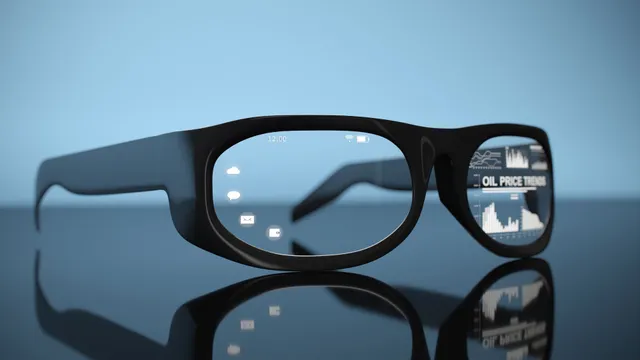
Directions appear in your view. Translation happens in context. An assistant understands what you're looking at. Digital information occupies your physical surroundings instead of living on a rectangular phone screen.
The technology is moving fast here, but the category is still forming.
Google's Android XR roadmap explicitly positions upcoming glasses around Gemini-powered assistance, hands-free search, navigation, capture, translation, messaging, reminders, and connections to Android apps. Google's official Android XR materials also indicate that audio glasses are arriving before more advanced display glasses, while devices such as XREAL's Android XR hardware point toward a broader spatial-computing ecosystem.
Promising? Absolutely.
Finished? Not quite.
The everyday-use test is brutally simple
A smart gadget earns a permanent place in your life when it removes steps.
That sounds obvious. It's harder than it looks.
Take a normal weekday.
You're walking to work. You receive a call. You want directions to a café. A friend sends a message. You spot something worth photographing. Then you spend twenty minutes waiting somewhere and want to listen to a podcast.
A good pair of smart glasses can reduce the number of times you unlock your phone.
That's the win.
The strongest camera-and-audio models are getting close to making that interaction feel natural. Recent user discussions reflect the same pattern: people who actually keep wearing their glasses tend to settle on a handful of repeated tasks—calls, music, quick photos, hands-free video, and occasional AI queries—rather than using every advertised feature.
That detail matters.
The killer app isn't usually "AI."
It's not pulling out your phone.
Battery life has improved, but physics is still annoying
Smart glasses have an unfair challenge.
A smartphone can hide a large battery in your pocket. Glasses can't.
Every gram sits on your nose, ears, and temples. Add cameras, microphones, speakers, processors, wireless radios, displays, and thermal management, and suddenly the engineering gets ugly.
Current manufacturer claims can sound encouraging. Ray-Ban Meta Gen 2, for example, is commonly listed with up to eight hours of moderate use, while display-equipped models can have lower stated runtimes depending heavily on screen brightness and feature use. Those numbers aren't interchangeable. Recording video, making calls, streaming audio, running AI features, and maintaining wireless connectivity all hit the battery differently.
In practice, this creates a familiar annoyance.
You start the day thinking, I don't need to charge these.
Then you record several clips, take calls, use AI repeatedly, and suddenly the charging case matters much more than you expected.
The glasses themselves may be improving. Battery anxiety hasn't disappeared.
Comfort is still the silent deal-breaker
Specsheets rarely explain what happens after three hours.
Pressure points do.
Heat does.
Weight absolutely does.
A device can be technically wearable while still being something you don't want on your face all afternoon.
This is one reason conventional-looking camera-and-audio glasses currently have an advantage over full display systems. If the frame already resembles something you'd voluntarily wear, the technology has a chance to disappear into your routine.
Display glasses face a tougher balancing act. Bigger optics can mean a better screen, but they can also mean a bulkier frame, more noticeable weight, and a look that says "electronics" from across the room.
One recent hands-on discussion even highlighted a rough practical threshold around 50 grams for all-day comfort, especially for users already accustomed to lightweight prescription glasses. That's subjective, obviously, but it captures the broader problem: your face is less forgiving than your backpack.
Software is finally catching up — unevenly
Hardware gets the headlines. Software decides whether you'll keep using the thing.
Meta's approach is fairly focused: voice interaction, capture, communications, audio, and AI assistance.
Google's Android XR strategy is broader. The platform is designed to bring Gemini and Android application support into extended-reality devices, with glasses intended for tasks such as navigation, translation, search, scheduling, and context-aware assistance.
That ecosystem question is bigger than it first appears.
Imagine asking your glasses to add something to your calendar.
Does it reliably understand the request?
Does it know which account you mean?
Does it ask you to unlock your phone anyway?
Does the feature work in your country and language?
And if an app updates, does a previously smooth workflow suddenly break?
These are the boring details that separate "future technology" from something you actually trust.
A smart assistant that saves you ten seconds is nice.
One that misunderstands your request twice in public is suddenly much less charming.
Privacy may be the technology's biggest everyday obstacle
Here's the uncomfortable part.
A smart speaker sits in a room. A phone camera is visible in someone's hand.
Glasses are different.
They can be worn continuously, and camera-equipped models can make recording feel less obvious to bystanders. That has created a growing backlash around camera glasses, with recent reporting documenting bans and restrictions in certain venues and renewed arguments over recording indicators and consent.
The industry needs to solve more than the hardware problem.
It needs social permission.
Visible recording lights help. Clear recording behavior helps. Strong policies around facial recognition and data handling help.
Still, no LED can completely remove suspicion if people don't know what the glasses are doing.
There is another side to this story, though.
For some disabled users, hands-free AI, environmental information, communication tools, and navigation can provide genuine independence. Recent reporting has highlighted how smart glasses can be particularly valuable for visually impaired users and people who benefit from hands-free assistance.
So the technology isn't simply "creepy" or "useful."
It's both powerful and socially unfinished.
Are smart glasses ready for your everyday life?
Use this quick filter.
Buy now if you want fewer phone interactions
Camera-and-audio glasses are ready enough for people who regularly:
Take casual photos and short videos
Listen to music or podcasts
Make hands-free calls
Use voice assistants
Want occasional translation or contextual AI help
A conventional-looking model is currently the safest bet for this use case.
Buy now if your real goal is a private screen
Frequent flyers, commuters, gamers, and mobile workers can get real value from display glasses.
The catch is that these are closer to wearable monitors than magical everyday eyewear.
You'll deal with cables or companion hardware depending on the model. Device compatibility matters. USB-C behavior can be surprisingly inconsistent, especially when a phone or handheld doesn't support the required video output mode.
That last point catches plenty of buyers.
A USB-C connector does not automatically mean USB-C DisplayPort video support.
Simple port. Complicated reality.
Wait if you want normal-looking AR glasses with everything
If your dream is a lightweight prescription frame that provides all-day battery, useful AI, high-quality cameras, private displays, natural gesture control, accurate navigation, and broad app support without overheating or attracting attention...
Wait.
That product category is coming into focus, but Google's Android XR ecosystem and other advanced AR efforts are still evolving, with availability and hardware capabilities varying significantly by device and region.
The gap between a convincing demo and a boringly reliable Tuesday is still there.
The models worth watching right now
Type | Standout direction | Best for | Main compromise |
|---|---|---|---|
Camera + AI | Ray-Ban Meta Gen 2 | Everyday calls, audio, capture, voice AI | No full in-lens display |
Sport-focused AI | Oakley Meta Vanguard | Cycling, training, hands-free capture | More specialized design |
Wearable display | XREAL One Pro | Travel, gaming, laptop screens | Not true all-day ambient eyewear |
Advanced display/AI | Emerging Android XR glasses | Navigation, Gemini, contextual computing | Ecosystem and availability still developing |
Recent independent comparisons also show how sharply these categories diverge. A model that's excellent for a cyclist can be awkward for office work, while a superb wearable display might be useless to someone who simply wants to answer calls and capture spontaneous moments.
FAQ: Smart glasses and everyday use
Are smart glasses good enough to replace a smartphone?
No.
They can reduce phone use for specific tasks, but typing, browsing, app management, banking, detailed maps, and long-form communication still work better on a phone.
Can you wear smart glasses all day?
Some camera-and-audio models are approaching that level of practicality. Comfort depends heavily on frame fit, weight, prescription lenses, and how often you're using battery-intensive features.
Are smart glasses with displays practical outdoors?
Sometimes, but brightness, reflections, battery drain, optical clarity, and field of view still create compromises. A wearable display is excellent for focused viewing; ambient AR is a harder problem.
Do smart glasses work without an internet connection?
Basic functions vary by model, but AI features, cloud processing, search, messaging integrations, live translation, and other connected services may require a phone connection, Wi-Fi, or mobile data.
Should you buy smart glasses in 2026 or wait?
Buy now if you can name a specific recurring use case—hands-free calls, POV capture, cycling, travel, or private screens. Wait if you're mainly buying for the idea of futuristic augmented reality.
So, are smart glasses finally ready?
For everyday use?
Some of them are.
That's the surprising part.
The technology has crossed an important line: a good pair can now solve real, repeated annoyances instead of merely creating a new gadget to manage.
But readiness isn't universal.
Ray-Ban-style AI glasses can fit naturally into a day. Sport-focused models can make sense on a bike or trail. XREAL and VITURE-style devices can genuinely improve travel and portable entertainment. Advanced Android XR glasses hint at what happens when AI, displays, cameras, and apps start working together properly.
The mistake is expecting one pair to do everything.
For Gadget Radar readers, the smarter move is to start with the friction in your own routine. Count how often you reach for your phone during a typical day. Calls? Photos? Navigation? Music? Laptop work on flights?
Pick the glasses that remove that specific annoyance.
Then watch what happens over the next generation or two.
That's where the real leap is likely to arrive.
smart glasses review
wearable technology
everyday smart glasses
AR glasses
smart eyewear trends
Found this helpful? Share it!