
Nvidia RTX 5090 Review: Benchmarks, Power & Gaming Test
2,706 views
You buy the fastest graphics card on the market, install it, boot into a game, and then see the GPU loafing around at 60% utilization because your CPU, display, or game engine has become the bottleneck.
That’s the awkward reality surrounding Nvidia’s RTX 5090.
It is brutally fast. It is also expensive, power-hungry, and easy to waste on the wrong setup. For GadgetRadar readers building around premium gaming hardware rather than simply chasing the biggest benchmark number, that distinction matters.
After comparing official specifications with independent gaming, ray-tracing, thermals, and power testing, the RTX 5090 looks less like a universal upgrade and more like a specialized weapon for 4K high-refresh gaming, heavy ray tracing, local AI work, and demanding creative workloads. The raw performance jump is real. Nvidia’s marketing, naturally, makes the picture messier.
Let’s sort out what the RTX 5090 actually delivers.
The RTX 5090 in one glance
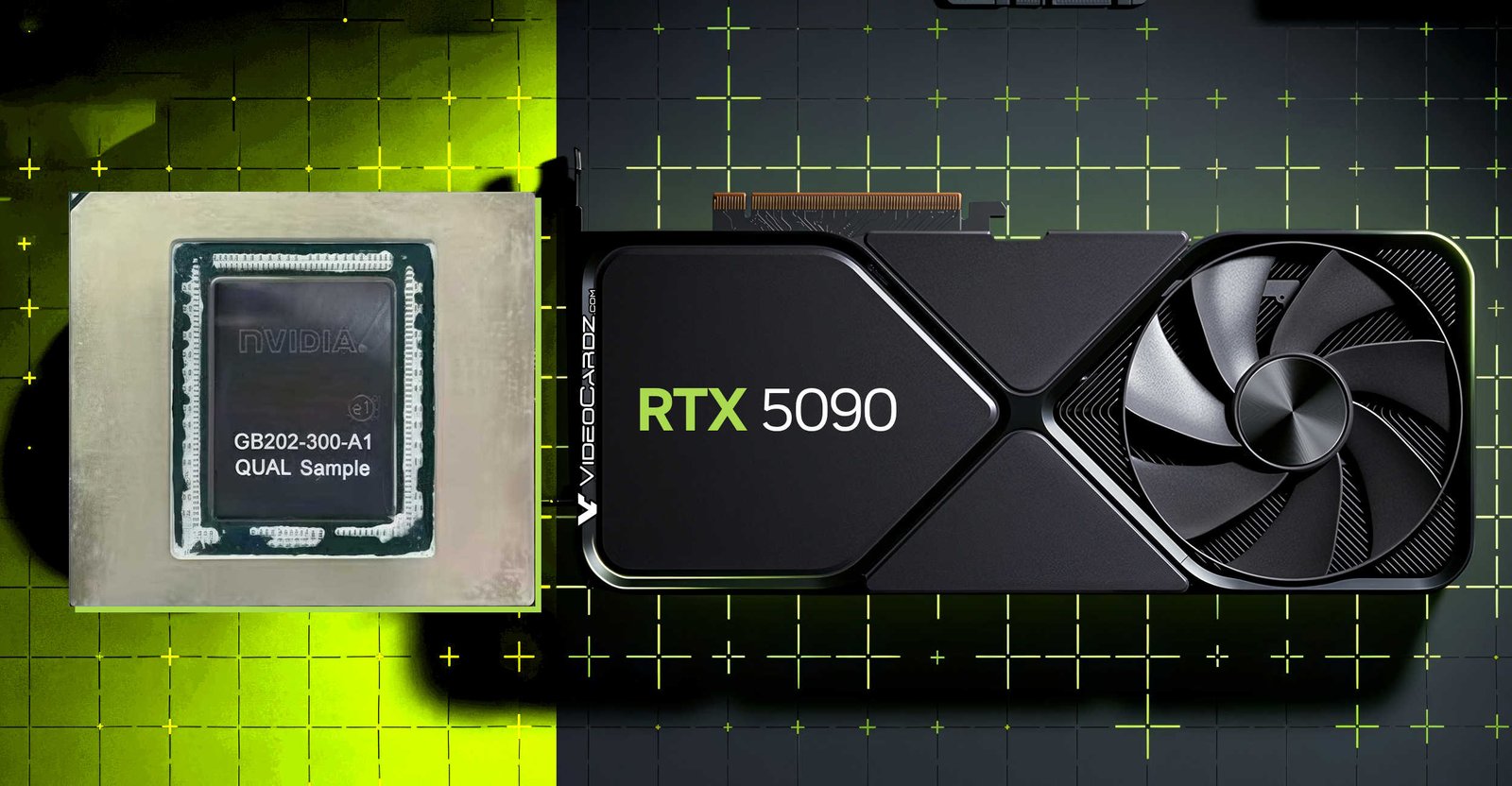
The GeForce RTX 5090 is built on Nvidia’s Blackwell architecture and sits at the top of the consumer RTX 50-series stack. The Founders Edition launched with a $1,999 MSRP, although real-world pricing and availability have often pushed partner cards well beyond that figure.
Here are the numbers that matter:
Specification | Nvidia GeForce RTX 5090 |
|---|---|
Architecture | Blackwell |
CUDA cores | 21,760 |
VRAM | 32GB GDDR7 |
Memory bus | 512-bit |
Memory bandwidth | 1,792 GB/s |
Boost clock | 2.41 GHz |
Tensor cores | 5th generation |
RT cores | 4th generation |
Interface | PCIe 5.0 |
Total Graphics Power | 575W |
Recommended system PSU | 1,000W |
Founders Edition size | 304 × 137 mm, 2-slot |
Launch MSRP | $1,999 |
The 32GB memory configuration deserves more attention than it initially gets. Compared with the RTX 4090’s 24GB of GDDR6X, the 5090 adds capacity and dramatically increases bandwidth, reaching 1,792 GB/s on its 512-bit memory interface. That combination matters for 4K textures, professional workloads, large datasets, and local AI models that can quickly run into VRAM limits.
The price, though? Ouch.
A $2,000 graphics card also changes the economics of the entire PC. A realistic RTX 5090 build may need a premium CPU, a 1,000W or larger power supply, serious cooling, and a display capable of exposing the performance you just paid for.
Benchmarks: how much faster is the RTX 5090?
Independent testing shows the RTX 5090 is unquestionably faster than the RTX 4090, but the margin changes dramatically depending on resolution and workload.
GamersNexus measured roughly 20% to 50% higher performance in 4K rasterization tests and approximately 27% to 35% gains in 4K ray-tracing workloads, depending on the game. That is a substantial generational improvement, though it falls well short of a universal “double the performance” upgrade.
That variability is the story.
At 1080p, the RTX 5090 can be ridiculous in the wrong way. Modern high-end CPUs become the limiting factor, and throwing 575W of GPU capability at a CPU-bound game doesn’t magically produce proportional frame-rate gains. Tom’s Hardware also observed that CPU bottlenecks become increasingly apparent at 1080p and 1440p with the 5090.
At 4K, things get interesting.
Raster performance
The RTX 5090 is at its best when the GPU is genuinely under pressure: 4K resolution, maximum textures, demanding effects, and games that don't immediately hit a CPU ceiling.
Independent testing consistently places it above the RTX 4090, with gains varying by engine and title rather than following one neat percentage.
A title built around heavy shaders and large textures can benefit differently from one that is limited by game logic or a single CPU thread. That’s why a single synthetic score isn't enough.
For 4K gaming, the RTX 5090 is a genuine upgrade. For 1080p esports, it's mostly an exercise in excess.
There is one exception: ultra-high-refresh competitive displays. Nvidia rates the card for up to 4K at 480Hz or 8K at 165Hz with Display Stream Compression, so there is serious headroom for exotic monitor setups.
Ray tracing and DLSS 4 change the conversation
Raw rasterization is only part of the RTX 5090 pitch.
Blackwell introduces new Streaming Multiprocessors, fourth-generation RT cores, fifth-generation Tensor cores, and expanded AI features. The headline gaming technology is DLSS 4, including Multi Frame Generation, alongside Super Resolution and Ray Reconstruction. Nvidia also supports transformer-based models within its newer DLSS pipeline.
This is where benchmark screenshots can become misleading.
A native frame rate of 80 FPS and a displayed frame rate boosted by Multi Frame Generation are not equivalent experiences, even if the counter in the corner looks spectacular. Generated frames can make supported games appear dramatically smoother, but base performance still matters for responsiveness and visual consistency.
That distinction becomes obvious in something like Cyberpunk 2077 with path tracing enabled. Testing has demonstrated the RTX 5090 pushing extremely high 4K frame rates with Nvidia’s AI-assisted rendering technologies enabled, but the technology stack—not raw silicon alone—is responsible for part of that leap.
My practical rule would be simple:
Check the native or non-frame-generated result first.
Treat DLSS Super Resolution, Ray Reconstruction, and Multi Frame Generation as separate layers of performance.
Don't lump them together. That's how “2x faster” marketing claims become confusing.
Is Multi Frame Generation worth using?
Yes, in the right game.
For cinematic single-player titles, especially with ray tracing or path tracing enabled, it can transform a borderline frame rate into something that feels far smoother. For competitive shooters, however, I’d still prioritize strong base FPS and low latency rather than chasing the largest possible generated-frame number.
Nvidia also lists Reflex 2 support and its upcoming Frame Warp technology as part of the RTX 50-series feature set.
The feature pipeline is impressive. It just requires a little skepticism.
Power consumption: the 575W elephant
This card is thirsty.
The RTX 5090 carries a 575W Total Graphics Power rating, while Nvidia recommends a 1,000W system power supply. The Founders Edition can be powered through four PCIe 8-pin cables using the included adapter or through the appropriate native high-power GPU connection supported by a compatible PSU.
That number shouldn't automatically be interpreted as constant 575W draw.
Tom’s Hardware's measurements found that, despite the official 575W rating, many gaming workloads came in below that limit, although some workloads could slightly exceed it.
Still, system planning matters.
A 575W GPU paired with a Ryzen 9 9950X3D, Core Ultra 9-class processor, multiple NVMe drives, a liquid cooler, and a pile of RGB fans can create very different transient and sustained demands from a simpler gaming machine.
I wouldn't build an RTX 5090 PC around an aging 850W supply and hope for the best.
A sensible RTX 5090 power setup
1,000W: Reasonable minimum for a quality gaming build using Nvidia’s recommendation.
1,200W: More comfortable for power-hungry CPUs, aggressive factory-overclocked cards, or lots of peripherals and storage.
Native modern GPU power cabling: Prefer a quality PSU with the correct native connector instead of making the included multi-cable adapter your permanent cable-management nightmare.
One small but important installation habit: fully seat the power connector and avoid forcing a sharp bend directly against the connector. With a premium GPU, sloppy cable routing is a remarkably silly place to create trouble.
Thermals, size, and the surprisingly compact Founders Edition
The RTX 5090 Founders Edition is interesting because Nvidia managed to package a 575W flagship into a 2-slot, 304mm-long design using a redesigned cooling system with a 3D vapor chamber, integrated heat pipes, and active cooling elements.
That doesn't mean every RTX 5090 will be compact.
Partner cards can be substantially larger, thicker, and heavier. Before ordering one, check:
Maximum GPU length in your case.
GPU clearance with front-mounted radiators.
Vertical clearance for the power cable.
Whether a bottom intake fan or PCIe expansion card interferes with the cooler.
This sounds obvious until you're crouched beside an open case at midnight, trying to understand why a 360mm radiator and a giant triple-fan GPU are suddenly competing for the same 15mm of space.
It happens.
RTX 5090 vs RTX 4090: should current owners upgrade?
For most RTX 4090 owners, I'd hesitate.
The RTX 5090 is faster, offers 32GB of GDDR7, substantially higher memory bandwidth, newer AI hardware, PCIe 5.0 support, and access to RTX 50-series-exclusive Multi Frame Generation features. Nvidia also upgrades media hardware with three ninth-generation NVENC encoders and two sixth-generation decoders.
Yet the RTX 4090 remains extraordinarily fast.
If you're gaming at 4K 120Hz and already hitting your target frame rates, spending another $2,000-plus may change benchmark charts more than your actual experience. The stronger case for upgrading is someone who regularly hits VRAM limits, works with AI or creator applications, wants 4K high-refresh ray tracing, or is moving from an RTX 3090, RTX 3080-class card, or an older flagship.
The jump from older generations is much easier to justify.
The jump from a 4090? That's a luxury decision unless your workload exposes a real limitation.
The 32GB advantage isn't just about gaming
The RTX 5090's 32GB memory pool gives it another personality.
Local AI applications, image generation, video workflows, CUDA-accelerated rendering, and other VRAM-heavy tasks can benefit from having more room before workloads spill into slower system memory or require model compromises. Nvidia rates the card at 3,352 AI TOPS and includes native FP4 support as part of its Blackwell architecture capabilities.
For creators, the media engine upgrades are also useful. The RTX 5090 includes AV1 encode and decode support, alongside its expanded NVENC and NVDEC hardware.
That doesn't automatically make it the best value workstation GPU.
A professional whose income depends on certified drivers, larger memory pools, ECC requirements, or enterprise software support may still be better served by Nvidia’s professional RTX lineup. But for someone who games at night and runs Blender, DaVinci Resolve, Stable Diffusion, or local language models during the day, the 5090 occupies an unusual and attractive middle ground.
Very expensive middle ground.
Who should actually buy an RTX 5090?
The best buyer isn't simply someone with a large budget.
The RTX 5090 makes sense if you fit at least one of these profiles:
You play demanding games at 4K on a 144Hz, 240Hz, or faster display.
You regularly use ray tracing or path tracing and want fewer visual compromises.
You need more than 24GB of VRAM for creative or local AI workloads.
You're replacing a GPU several generations old and plan to keep the system for years.
Skip it, or at least pause, if you're gaming at 1080p, using a 60Hz display, or already own an RTX 4090 that comfortably handles your games. A better monitor, faster storage, CPU upgrade, or simply keeping the cash can produce a smarter overall setup.
Nvidia RTX 5090 FAQ
Is the RTX 5090 the fastest gaming GPU?
Yes. Independent testing places it ahead of the previous GeForce flagship, although the size of the advantage varies by game, resolution, and whether ray tracing or AI-assisted rendering is enabled.
How much power does an RTX 5090 use?
Its official Total Graphics Power rating is 575W, and Nvidia recommends a 1,000W system PSU. Actual gaming consumption varies by title and workload.
Does the RTX 5090 have enough VRAM for 4K gaming?
Absolutely. Its 32GB of GDDR7 is more than sufficient for current 4K gaming workloads and also provides useful headroom for demanding creative and AI applications.
Is DLSS 4 available on every game?
No. DLSS features depend on game integration and support. RTX 50-series Multi Frame Generation is part of Nvidia’s DLSS 4 feature set, but the exact available options vary between titles.
Should I upgrade from an RTX 4090 to an RTX 5090?
Only if you have a clear reason: more VRAM, 4K high-refresh ray tracing, AI or creative workloads, or a genuine need for RTX 50-series-specific features. For ordinary 4K gaming, the RTX 4090 is still extremely capable.
The verdict: incredible hardware, demanding ownership
The Nvidia RTX 5090 earns its flagship status. Independent testing confirms major gains over the RTX 4090 in demanding 4K workloads, while the 32GB GDDR7 memory pool, Blackwell architecture, and DLSS 4 feature set give it a broader purpose than gaming alone.
But don't buy the number.
Buy the use case.
Before spending flagship money, check your monitor's resolution and refresh rate, measure your case, inspect your PSU model and available power connectors, and look at the actual games or applications you run every week. If those answers point toward 4K high-refresh gaming, path tracing, heavy creator workloads, or local AI, the RTX 5090 has very little competition.
Otherwise, build smarter—not just bigger.
Nvidia RTX 5090 review
RTX 5090 benchmarks
RTX 5090 gaming test
RTX 5090 power consumption
RTX 5090 performance
Found this helpful? Share it!